Mnemosyne
Your private AI knowledge base — store, analyze, and discuss your notes, photos, and documents with intelligent semantic search and RAG chat.
- Notes scattered across Notion, Google Docs, and random text files?
- Can't find that important PDF from 6 months ago?
- Don't trust cloud AI services with your private files and personal notes?
- No way to see how your ideas and knowledge connect to each other?
Your second brain, fully private
Mnemosyne brings all your knowledge into one place. AI analyzes your notes, photos, and PDFs automatically. Ask questions in natural language and get answers from your own data — all running locally on your hardware.
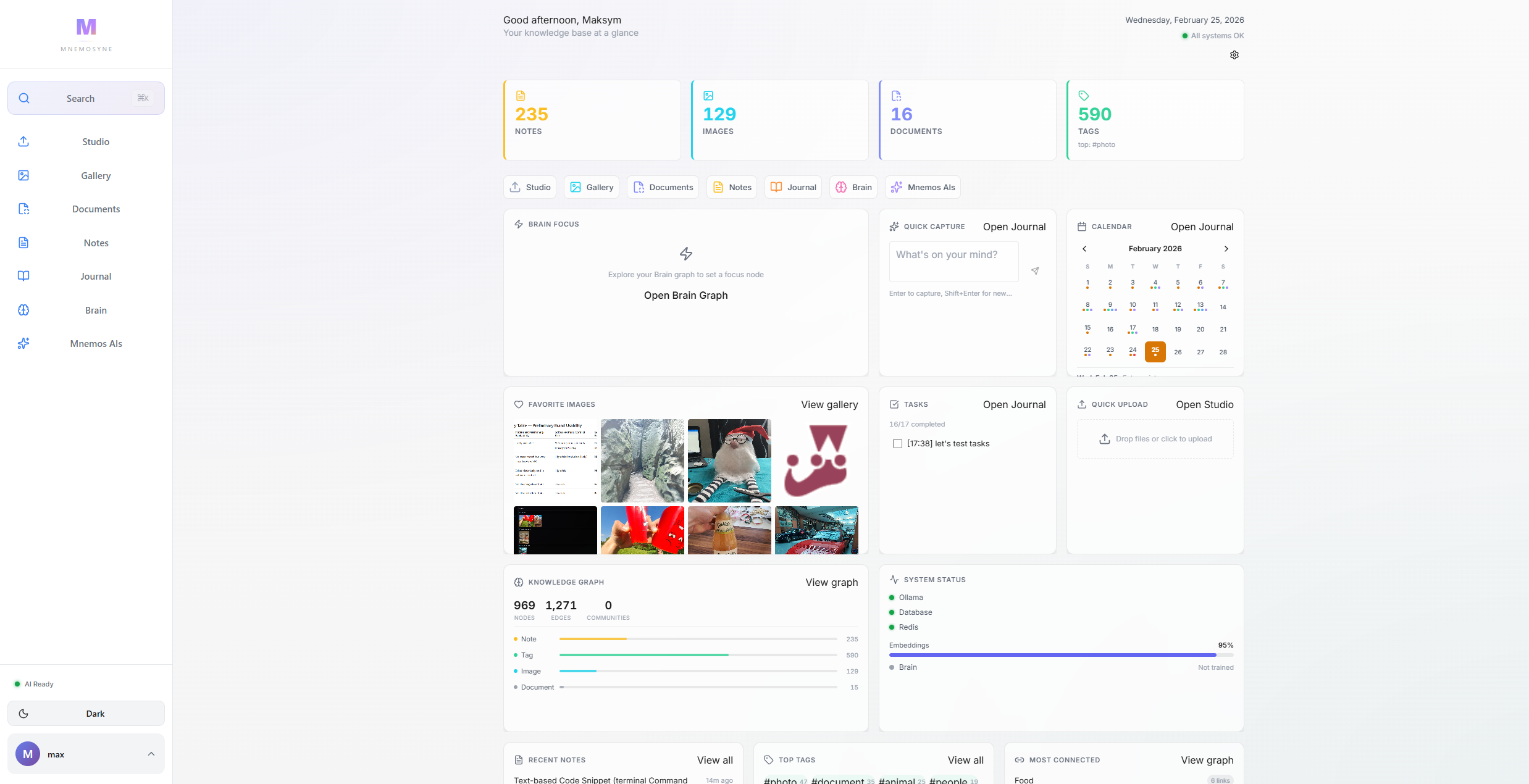
Everything in one place
Scroll through Mnemosyne's AI-powered knowledge management system.
Knowledge Management Dashboard
Activity feed, quick actions, and system status — your central command hub for all knowledge.
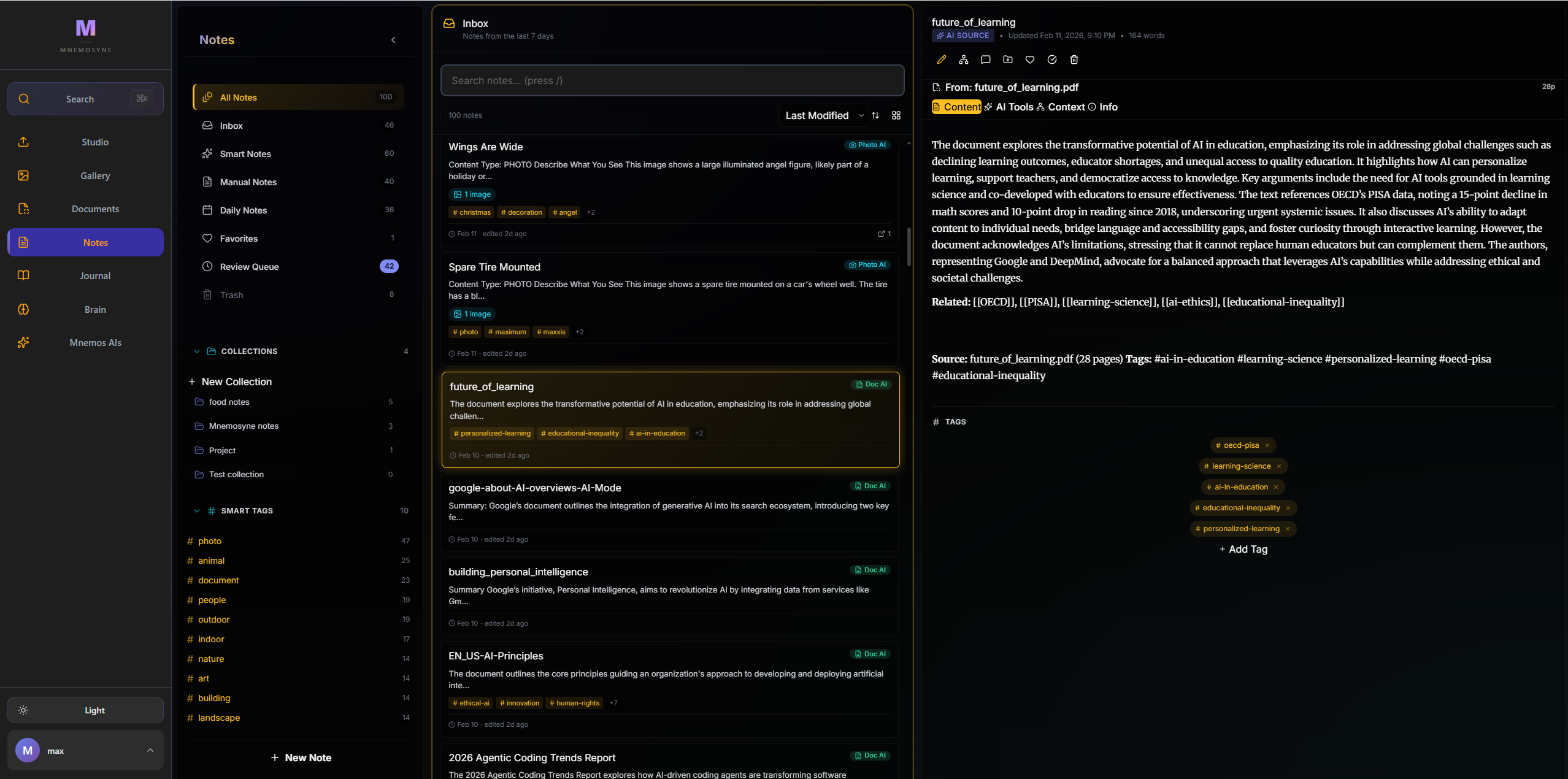
AI-Powered Note Taking & Analysis
Rich block-based editor with automatic AI analysis, tagging, and semantic connections.
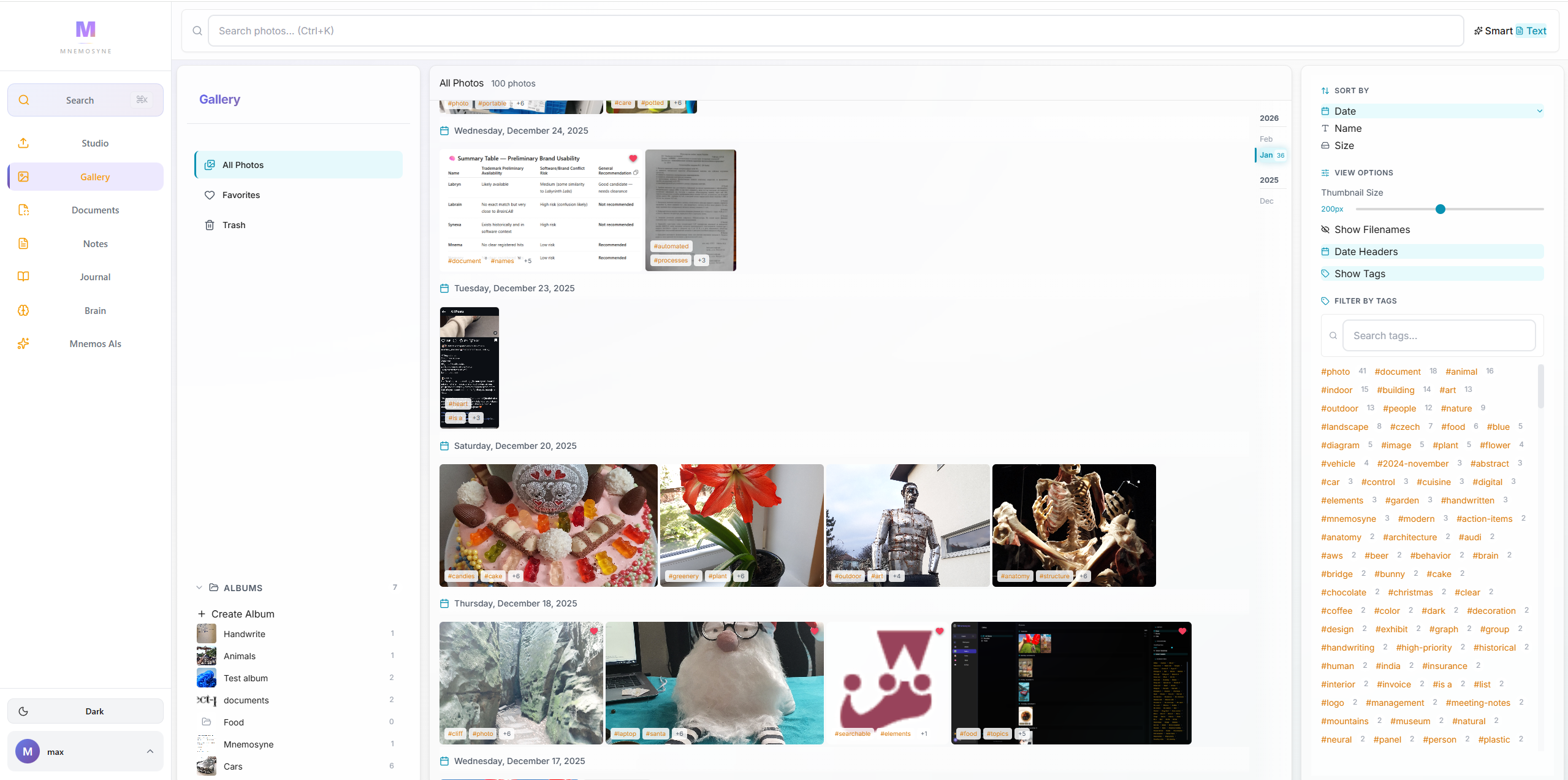
Visual Intelligence & Photo OCR
Upload photos and let AI analyze scenes, extract text via OCR, and auto-tag your visual library.
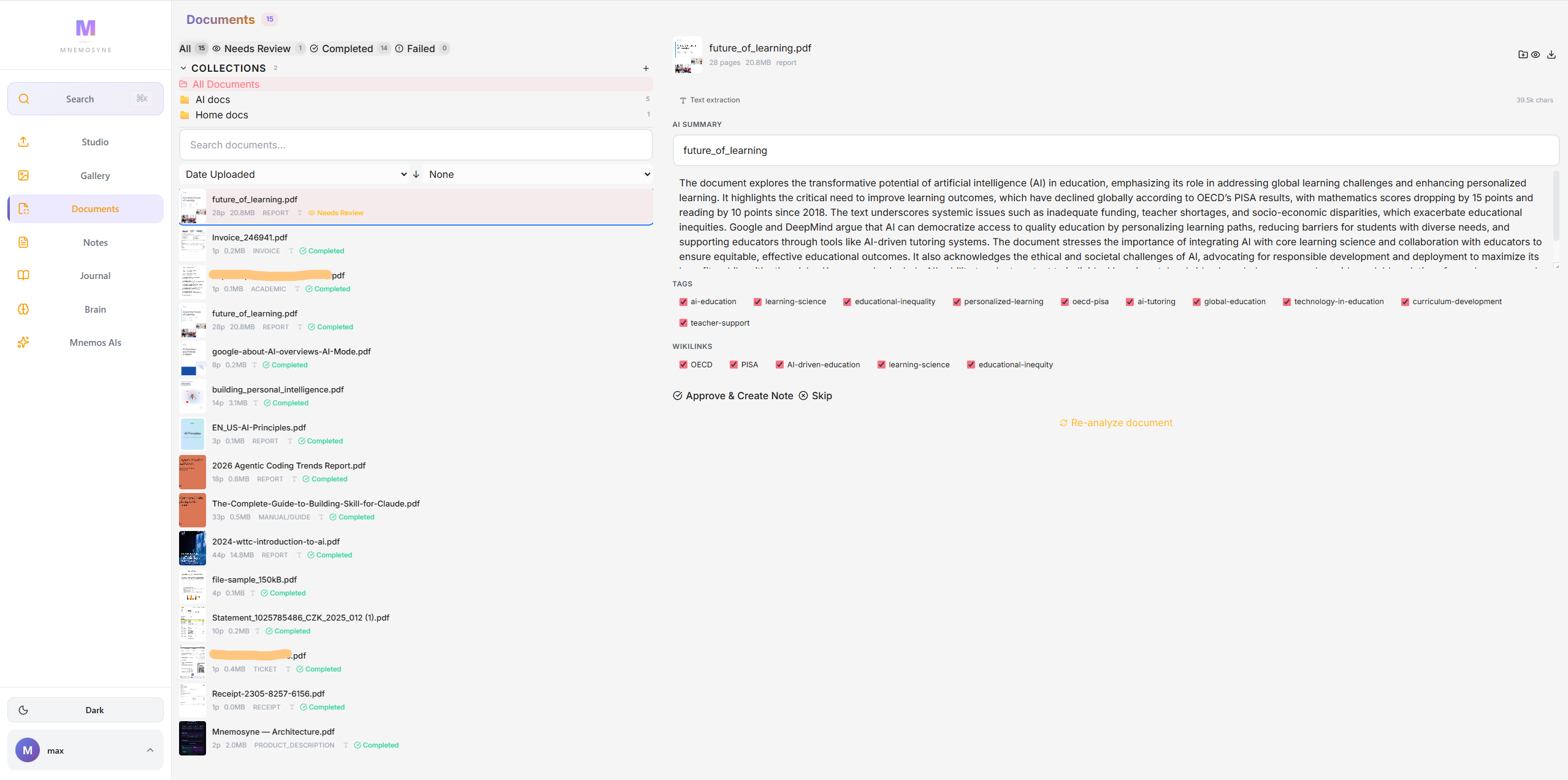
PDF Document Processing & Summarization
Upload, preview, and AI-analyze multi-page PDFs with automatic summarization and indexing.
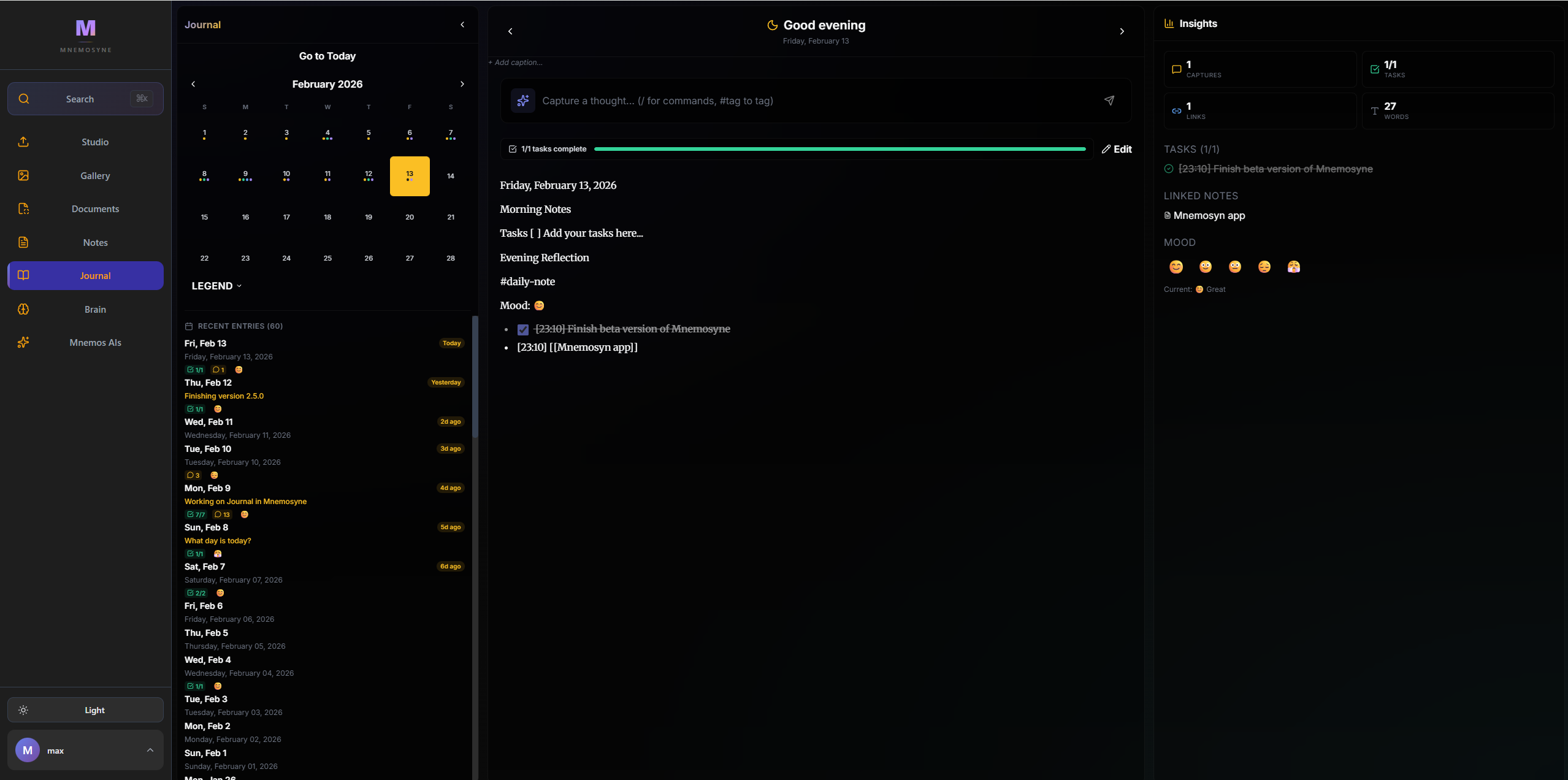
Daily Journal with Mood Tracking
Calendar-driven daily notes with mood tracking and reflection prompts for personal growth.
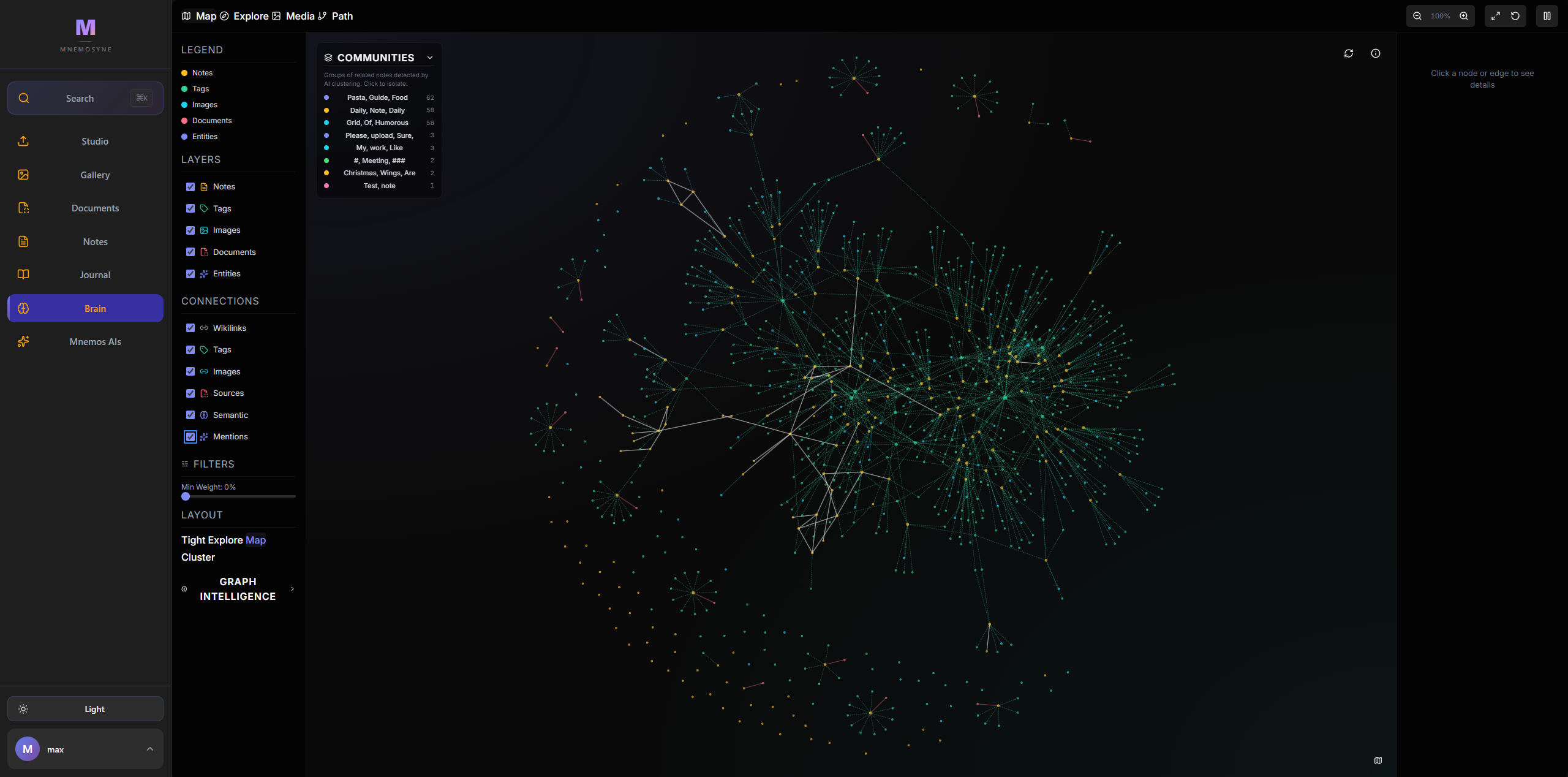
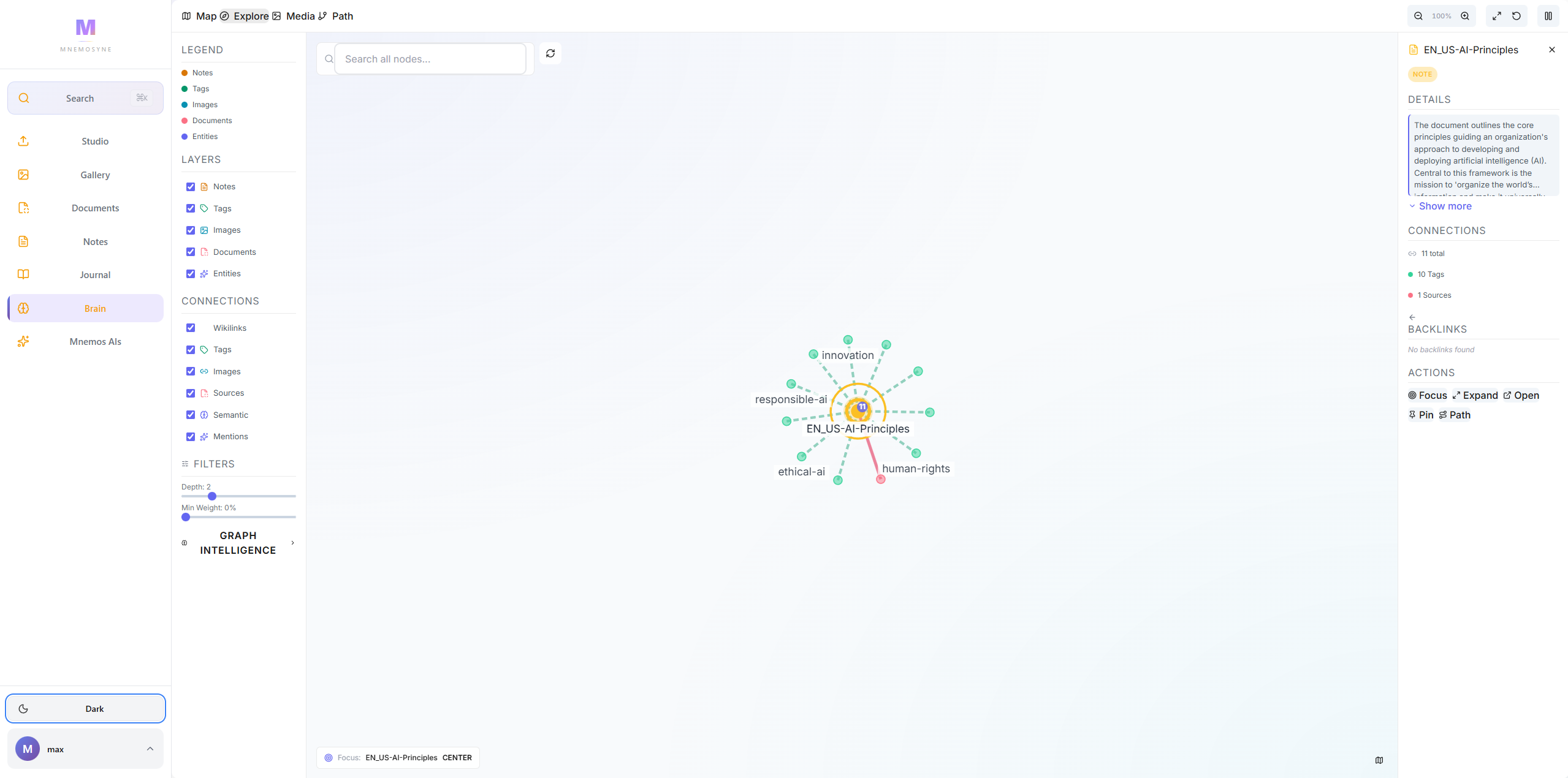
Interactive Knowledge Graph
Visualize connections between notes, tags, and topics in a force-directed graph you can drag, zoom, and explore.
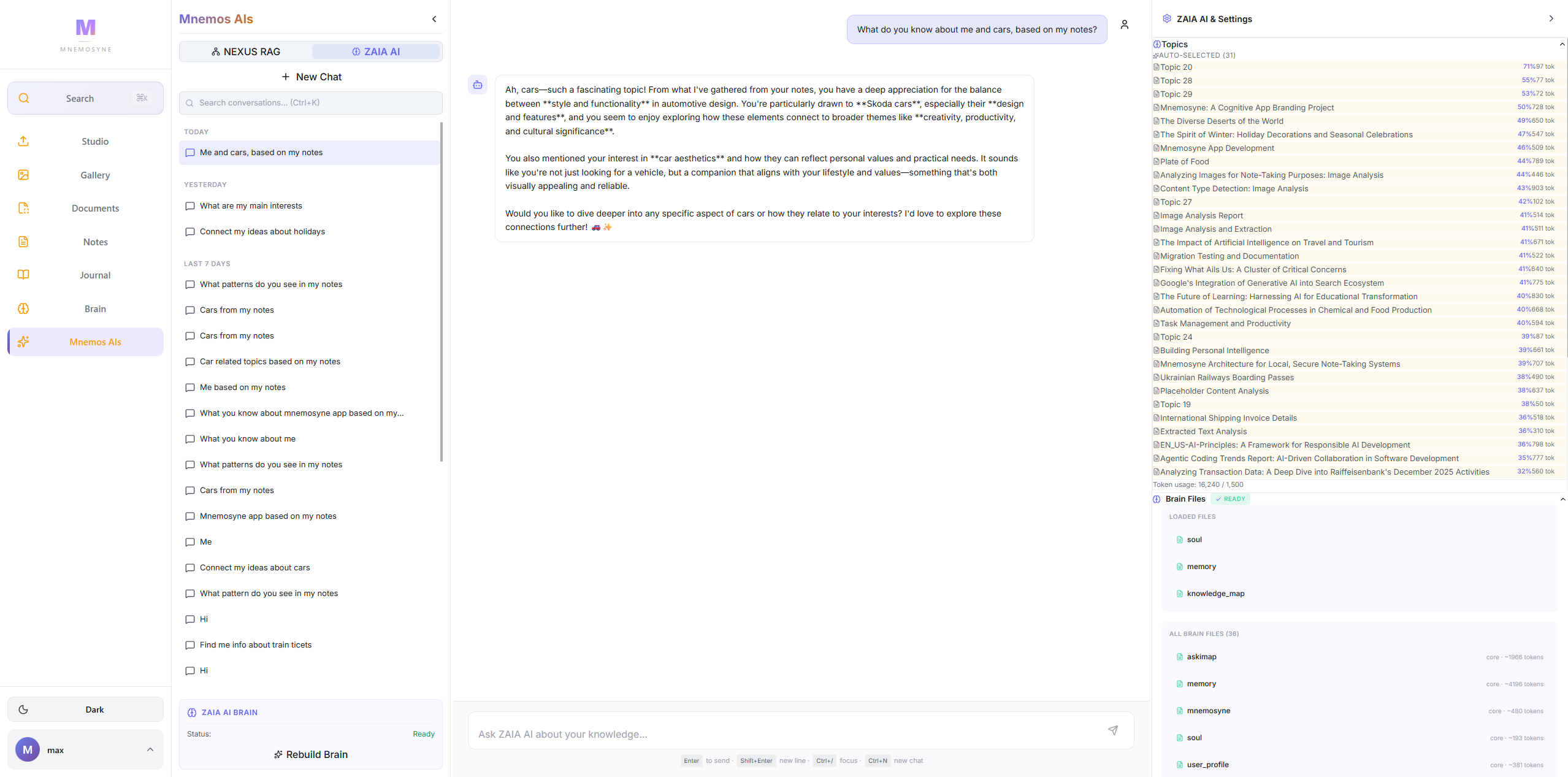
RAG Chat — Talk to Your Documents
Dual-mode AI chat — RAG search over your data or free-form Brain conversations with full context.
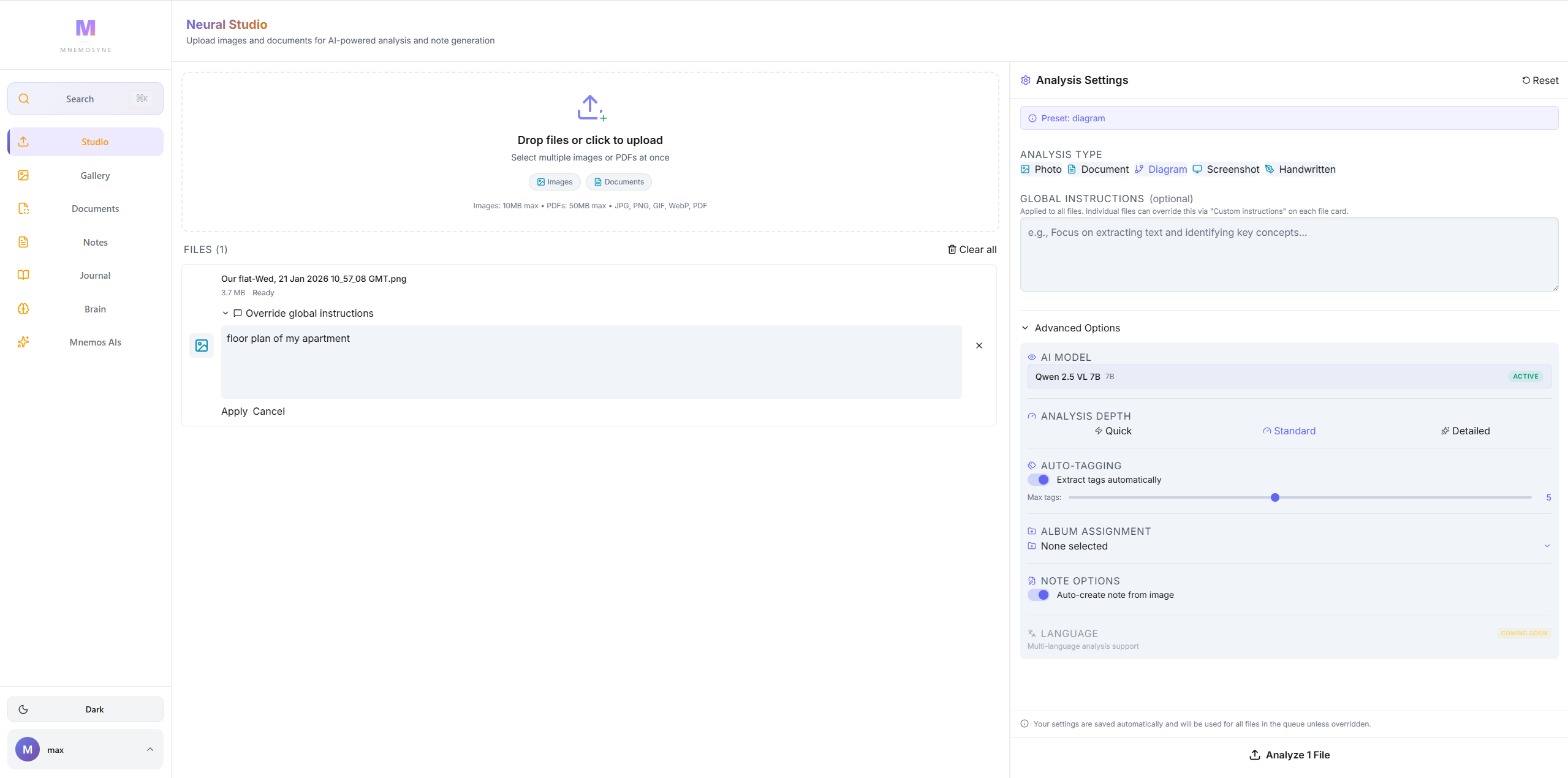
Multi-Model AI Studio
Local Ollama models by default, with optional Claude and OpenAI when you want to reach for a bigger model.
Semantic Vector Search
Full-text and vector search across all notes, images, and documents — find anything instantly.
Up and running in minutes
git clone https://github.com/Simmak7/project-Mnemosyne.gitcp .env.example .env && nano .envdocker-compose up -d --buildWho this is for, and who it is not
Mnemosyne trades convenience for control. That is the right trade for some people and the wrong one for others.
Built for you if
- The privacy-conscious note-takerYou want what Notion AI does, but you are not willing to put a decade of personal notes on somebody else's server to get it.
- The researcher with a PDF pileHundreds of papers, contracts or manuals you half remember. You need to ask a question and get the answer with the source.
- The person who photographs everythingWhiteboards, receipts, handwritten pages. You want them read, tagged and searchable instead of buried in a camera roll.
- The self-hosterYou already run a homelab. One more docker-compose is not an obstacle, and owning the data is the whole point.
Look elsewhere if
- Teams who need real-time collaborative editing and permissions. Mnemosyne is built for one person's knowledge, not a shared workspace.
- Anyone who wants to sign up and start in thirty seconds. This is self-hosted software: you need Docker and a machine to run it on.
- Project and task management. Use Notion, Linear or Obsidian with plugins.
- Phones as the primary device. It is a web app that works on mobile, but it is designed for a real screen.
- Running entirely on a low-powered box. It works on CPU, but local vision and chat models are slow without a GPU.
Built with modern tools
Everything you need, nothing you don't.
Frontend
Backend
Frequently asked questions
Common questions about Mnemosyne.
Mnemosyne uses pgvector for semantic search — it understands meaning, not just keywords. Type a question in the AI Chat, select RAG mode, and it searches across all your notes, images, and documents to find relevant answers.
Yes. Mnemosyne provides AI-powered notes, document analysis, and semantic search similar to Notion AI, but everything runs on your hardware. Your data never leaves your network.
Yes. Image analysis and OCR run through a local vision model (Qwen2.5-VL) served by Ollama on your own hardware, and PDFs are parsed locally too. No cloud API is required and nothing is uploaded anywhere by default.
Local models through Ollama: Qwen2.5-VL for vision, Qwen3 8B for chat and RAG, and nomic-embed-text for the 768-dimension embeddings behind semantic search. Claude and OpenAI are supported as optional cloud models if you want to reach for something bigger, and they are entirely opt-in.
RAG mode searches your notes for each question and answers from what it retrieves, which is best for looking something specific up. Brain mode reads from pre-built knowledge files that summarise your notes hierarchically, so the AI already has an internalised picture of your material and can talk about it more broadly.
A GPU helps with AI inference speed but is not required. Ollama can run on CPU-only machines. For the best experience, a modern GPU with 8GB+ VRAM is recommended.
It is a force-directed graph of your notes, tags and topics, which you can drag, zoom and explore. As you write and tag, the graph grows on its own, which tends to reveal clusters and connections you did not consciously make.